PNG to PDF Converter
Convert your PNG images to a single, high-quality PDF document.
Drag & Drop PNGs Here
or
Supports multiple files (max 10). Only PNG format.
Selected Files (0)
🚀 PNG to PDF Converter: Convert Your Images to PDF Online (High Quality)
A PNG to PDF converter is the fastest and most reliable online tool for transforming your Portable Network Graphics (PNG) image files into the universal and professional Portable Document Format (PDF).
While high-quality PNGs are perfect for web use, they are often difficult to share, print, or attach in professional documents. Converting your images provides a useful, standardized document for archiving and distribution. By using our free online PNG to PDF tool, you can quickly merge one or multiple PNG images into a single, clean PDF file, helping you streamline your workflow and document management.
What is a PNG to PDF Conversion?
PNG to PDF conversion is a simple process that wraps your PNG image data into a PDF container. PDF is a standardized format designed by Adobe for document exchange. The conversion process preserves the high quality and transparency of your original PNG file while giving you the added benefits of PDF, such as password protection, secure sharing, and standardized printing. Our tool ensures your image resolution remains intact.
🖼️ Key Features of Our PNG to PDF Tool
After you upload your PNG images, our tool processes them with these key options:
| Feature | Description |
| High-Quality Output | Preserves the original resolution of your PNG file, avoiding pixelation. |
| Combine Multiple PNGs | Merge multiple image files into a single, cohesive PDF document. |
| Adjust Orientation | Automatically detect and optimize for portrait or landscape images. |
| Secure Handling | Files are protected and automatically deleted from our servers after conversion. |
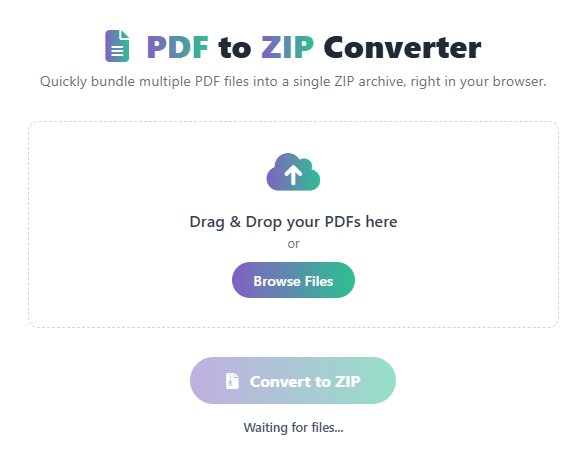
How Our Online PNG to PDF Converter Works
Our intuitive tool is designed for speed and ease of use. It handles all the complex conversion logic instantly:
- Input: You upload one or more PNG files (or other image types like JPG).
- Processing: The tool uses advanced algorithms to correctly format the image data, ensuring optimal file size without losing quality.
- Assessment: You can optionally rearrange the order of the images before the final merge.
- Output: The result is a single, downloadable, and high-quality PDF document.
Step-by-Step Guide: Use Our Free PNG to PDF Tool
- Open the Tool – Navigate directly to our PNG to PDF Converter page.
- Upload Files – Click the “Upload PNG” button or simply drag-and-drop your image files.
- Arrange/Customize – Reorder the images or adjust settings like paper size if needed.
- Click Convert – The tool will instantly combine the images into a single PDF.
- Review & Download – Download your new, professional PDF document.
Common Use Cases for PNG to PDF
- Professional Reporting: Converting screenshots or charts to a PDF for a secure, print-ready business report.
- Archiving: Storing digital artwork, logos, or graphic assets as a universally readable PDF.
- Sharing: Sending a collection of images as one file that everyone can open and print correctly.
Why Use Our Free Online PNG to PDF Converter?
- Instant & Private: Convert your images securely, with files automatically deleted after an hour.
- Batch Conversion: Easily combine multiple PNGs into one PDF or convert them individually.
- High-Quality Output: No loss of resolution or clarity from the original image file.
- Mobile Friendly: Use this image to PDF converter on your phone or tablet on the go.
- 100% Free: Unlimited use for all your personal and professional conversion needs.
 — Instantly compress images, convert files, calculate finance & health metrics, and access 50+ handy tools in one place. Fast, reliable, and built for everyone.