PDF to ZIP Converter
Quickly bundle multiple PDF files into a single ZIP archive, right in your browser.
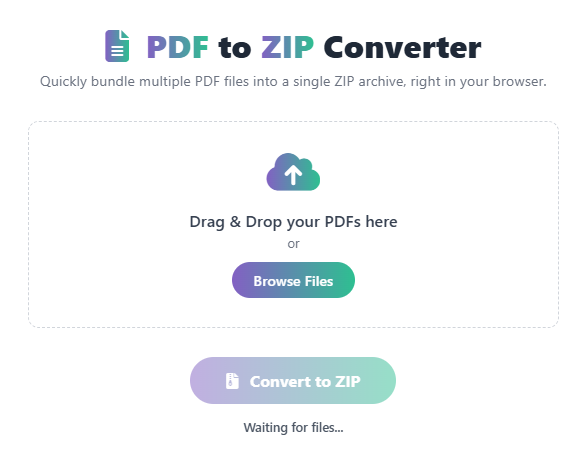
Drag & Drop your PDFs here
or
📄 PDF to ZIP Converter: Compress & Secure Your Documents Instantly
A PDF to ZIP converter is the fastest and most reliable tool for compressing multiple Portable Document Format (PDF) files into a single, compact ZIP archive. Used by professionals, students, and businesses, this conversion allows you to drastically reduce the file size of your documents for easier sharing, uploading, and organized storage.
While sending individual PDF files is often cumbersome and slow, converting them to a ZIP file provides a streamlined, secure “package” for all your documents. By using our online PDF to ZIP tool, you can quickly select all your PDFs and package them into a single, downloadable archive, helping you save time and valuable bandwidth.
What is a PDF to ZIP Conversion?
PDF to ZIP conversion is the process of taking one or more PDF files and using data compression technology to combine them into a single file with the .zip extension. This process not only bundles files together but also reduces the total size, making the resulting archive perfect for email attachments or cloud storage backups.
The ZIP format is universally supported and acts as a secure container. It is the standardized, globally recognized method for bundling and shrinking digital files for transfer.
Official Benefits of Using a ZIP Archive
After you convert your PDFs to a ZIP file, you instantly benefit from superior file management and transfer capabilities:
| Benefit | Description |
| Space Saving | Compresses files to a smaller size, saving disk space and speeding up transfers. |
| Batch Transfer | Sends multiple PDFs as a single file instead of multiple attachments. |
| Organization | Keeps related documents grouped and tidy for easier backup and retrieval. |
| Security | ZIP files can be password-protected for an extra layer of document security. |
How Our Online PDF to ZIP Converter Works
Our intuitive tool performs the required conversion and compression instantly, making the process effortless:
- Input: You upload or drag-and-drop your PDF files (you can select many at once).
- Conversion: The tool uses advanced compression algorithms to securely package the data from all PDFs.
- Assessment: The tool calculates the compression ratio and prepares the single
.zipoutput file. - Output: You are provided with a single link to download your compressed ZIP file.
Step-by-Step Guide: Use Our Free PDF to ZIP Tool
- Open the Tool – Navigate directly to our PDF to ZIP Converter page.
- Select PDFs – Click “Upload” or drag all your required PDF files onto the drop zone.
- Click Convert – The tool will begin the compression and packaging process automatically.
- Download ZIP – Once completed, click the “Download ZIP” button to save the archive to your device.
- Share/Store – You now have a single, compressed file ready for easy sharing or storage.
Why Use Our Free Online PDF to ZIP Converter?
- Instant & Unlimited: Convert dozens of PDF files into a single ZIP archive in seconds.
- High Compression: Our smart engine provides maximum file size reduction without quality loss.
- Batch Support: Easily handle large numbers of documents simultaneously.
- Secure & Private: Your uploaded files are immediately deleted from our servers after conversion.
- 100% Free: Unlimited use, perfect for both personal and professional needs.
 — Instantly compress images, convert files, calculate finance & health metrics, and access 50+ handy tools in one place. Fast, reliable, and built for everyone.