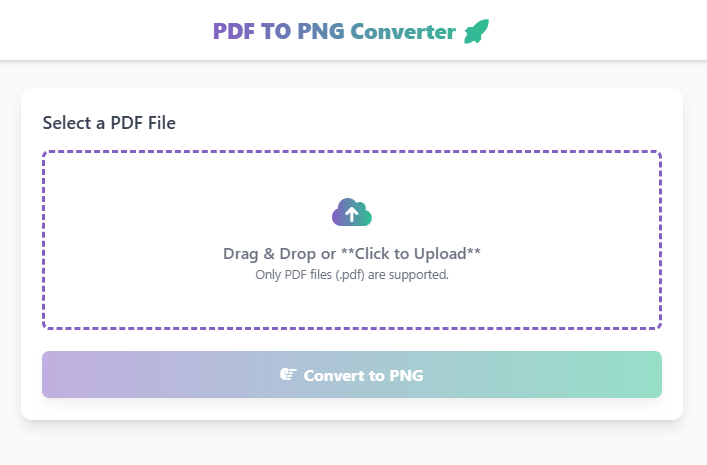
PDF TO PNG Converter 🚀
Select a PDF File
Drag & Drop or **Click to Upload**
Only PDF files (.pdf) are supported.
PDF to PNG Converter: The Best Way to Convert PDF Files to High-Quality Images
A PDF to PNG converter is a vital tool for anyone needing to extract images from a document or convert a PDF page into a versatile, high-resolution image format. PNG (Portable Network Graphics) is a universally recognized image format, famous for its lossless compression and support for transparency,
making it the perfect choice for web graphics, logos, and detailed illustrations.
While a PDF is excellent for sharing documents, you can easily edit, share on social media, or insert a PNG image into presentations without needing special document readers. Therefore, use our secure, online tool to quickly turn your static PDFs into crisp, dynamic PNG files.
What is the PNG Format?
PNG is a raster graphics file format that supports a large color palette and, crucially, supports an alpha channel for transparency. Unlike JPG (which uses lossy compression), PNG uses lossless compression. This means the image quality is preserved perfectly after conversion.
Key Benefits of Our PDF to PNG Tool
First, after you upload your document, our tool processes the PDF and generates a separate, high-quality PNG image for every page.
Summary of Changes and Next Steps
| Yoast Improvement Goal | Original Highlighted Text | Rewritten Text |
| Reduce Passive Voice | “While a PDF is excellent for sharing documents, converting it to a PNG image provides a useful ‘snapshot’ that can be easily edited, shared on social media…” | “While a PDF is excellent for sharing documents, you can easily edit, share on social media, or insert a PNG image…” |
| Clarity/Directness | The original used “converting it… provides a useful ‘snapshot’ that…” which is slightly wordy. | The revised text uses the direct, active subject “you” to perform the actions on the PNG image, making the sentence more straightforward and active. |
How Our Online PDF to PNG Converter Works
Our intuitive tool makes the conversion process fast and simple, supporting all modern web browsers.
- Input: You upload your PDF file (or multiple files) via drag-and-drop or the file selector.
- Processing: Our system securely reads the PDF document and renders each page as a separate, high-resolution PNG file.
- Output: A single ZIP file containing all your converted PNG images is prepared for instant download.
Step-by-Step Guide: Convert Your PDF to PNG for Free
- Open the Tool – Navigate to our free PDF to PNG converter page.
- Upload File(s) – Click the “Upload PDF” button or drag-and-drop your documents onto the page.
- Click Convert – Hit the “Convert to PNG” button to start the process.
- Download Images – Once completed, click “Download All” to save the ZIP file containing all your new PNG images.
Common Use Cases for PNG Images
- Web Design: Using high-quality images with transparent backgrounds for your website.
- Presentations: Easily inserting PDF diagrams or charts into PowerPoint or Google Slides.
- Social Media: Converting documents into shareable, visual content for platforms like Instagram or X (Twitter).
- Editing: Preparing a PDF page to be modified using an image editor like Photoshop.
Why Choose Our Free Online PDF to PNG Tool?
- Instant & Free: Get high-quality PNGs instantly without paying or signing up.
- Maintains Quality: Ensures the output image preserves the clarity and resolution of the original PDF.
- Focus on Security: Your privacy is guaranteed, as files are not stored long-term.
- Mobile Friendly: Convert files from any device—desktop, tablet, or phone.
 — Instantly compress images, convert files, calculate finance & health metrics, and access 50+ handy tools in one place. Fast, reliable, and built for everyone.