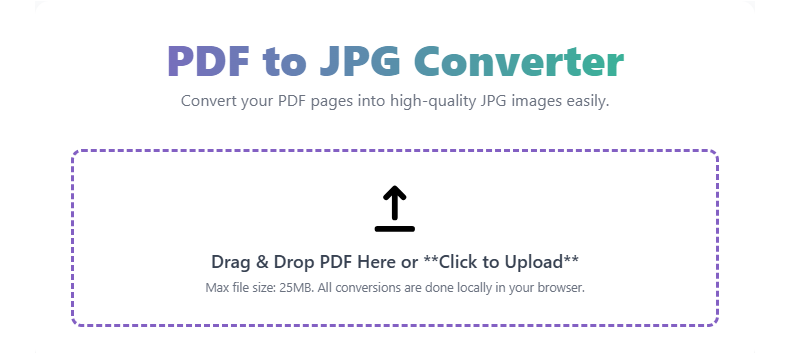
PDF to JPG Converter
Convert your PDF pages into high-quality JPG images easily.
Drag & Drop PDF Here or **Click to Upload**
Max file size: 25MB. All conversions are done locally in your browser.
🚀 PDF to JPG Converter: Instantly Convert PDF Pages to High-Quality Image Files (JPEG/JPG)
This PDF to JPG conversion tool is the fastest online utility to transform every page of your Portable Document Format (PDF) file into high-resolution JPEG (Joint Photographic Experts Group) images.
PDF is the universal standard for documents, but image formats like JPG are essential for web sharing, social media, and quick previews. Our secure, cloud-based utility gives you a useful “snapshot” of your document, allowing you to use your document content as individual images instantly. Need to combine multiple files first? Try our integrated PDF Merger tool
What is the PDF to JPG Conversion Tool?
This free PDF to JPG conversion tool is a simple, standardized utility that processes your PDF and extracts each page as a separate JPG or JPEG image file. The conversion is performed securely on our servers, ensuring no software download is required. It is designed for adult users (18+) who need a reliable way to turn PDF documents, presentations, or scans into a widely supported image format.
Official Output: High-Quality JPEG Images
After you upload and process your PDF file, our tool converts your pages according to these standards:
| Output File Format | Key Characteristics | Common Use Cases |
| JPEG/JPG | High compatibility, excellent for photographs and complex images, supports millions of colors. | Website uploads, social media posts, email attachments, image editing. |
| Quality | High Resolution (DPI) | Print-ready or optimized for web viewing. |
| Output | Individual JPG files for each page. | Easy to select and download specific pages as needed. |
How Our Online PDF to JPG Converter Works
Our intuitive tool performs the required conversion instantly and is accessible on any device:
- Upload: You upload your PDF file (up to X MB size).
- Conversion: The tool securely processes the PDF, rendering each page into a separate image file using advanced rasterization technology.
- Optimization: The resulting images are optimized for file size while maintaining high visual quality (JPEG compression).
- Download: The result allows you to download all the JPGs as a single ZIP file or choose to download individual image files.
Step-by-Step Guide: Use Our Free PDF to JPG Tool
- Open the Tool – Navigate directly to our PDF to JPG Converter page.
- Upload File – Click the “Upload PDF” button and select your document. You can also drag-and-drop the file.
- Click Convert – Hit the “Convert to JPG” button. The process is usually complete in seconds.
- Review & Download – Check the image previews and download your high-quality JPG files as a ZIP archive or individually.
Why Use Our Free Online PDF to JPG Converter?
- Instant & Private: Convert your documents quickly and securely. All uploaded files are automatically deleted from our servers after one hour.
- Batch Processing: Converts every page of a multi-page PDF into separate, usable JPG images.
- High Quality: We ensure the highest possible image quality while using efficient JPEG compression.
- Mobile Friendly: Use this PDF to JPG converter seamlessly on your phone, tablet, or desktop.
- 100% Free: Unlimited conversions for personal or business use.
 — Instantly compress images, convert files, calculate finance & health metrics, and access 50+ handy tools in one place. Fast, reliable, and built for everyone.