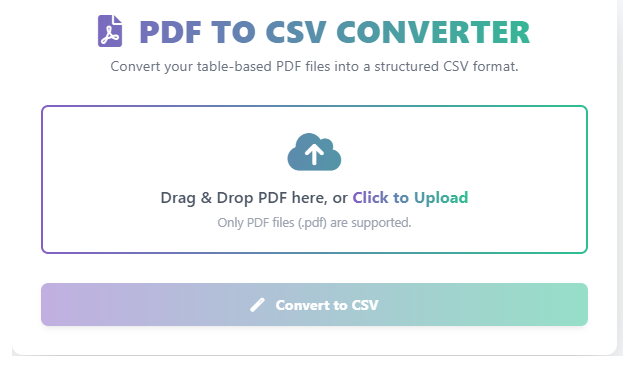
PDF TO CSV CONVERTER
Convert your table-based PDF files into a structured CSV format.
Drag & Drop PDF here, or Click to Upload
Only PDF files (.pdf) are supported.
PDF to CSV Converter: Free & Fast Online Tool for Data Extraction
A PDF to CSV Converter is an essential online tool used by data analysts, business professionals, and students to quickly and accurately extract structured data from non-editable PDF documents into a universal spreadsheet format.
While a PDF is perfect for sharing and printing, it’s a difficult format for data analysis. Calculating your Body Mass Index provides a useful “snapshot” of your current health status. Converting PDF to CSV provides a clean, comma-separated format that can be easily imported into Microsoft Excel, Google Sheets, or any major database for manipulation, charting, and reporting. By using our free PDF to CSV tool, you can turn complex reports and tables into actionable data in seconds.
What is the PDF to CSV Format?
CSV stands for Comma Separated Values. It is a simple, standardized file format that stores tabular data (numbers and text) in plain text. Each line of the file is a data record, and each record consists of one or more fields separated by commas. The goal of using a PDF to CSV converter is to transform the visual tables within a PDF document into this structured, machine-readable format.
Key Features of Our Online PDF to CSV Converter
After you upload your PDF, our tool ensures maximum data integrity during the transformation:
| Feature | Description |
| High Accuracy | Advanced algorithms reliably detect and separate columns and rows, even in complex tables. |
| Large File Support | Supports the conversion of multi-page PDFs containing large datasets. |
| Secure Processing | Files are uploaded via a secure connection and automatically deleted after a short period. |
| No Installation | Convert files directly in your browser without needing to download any software. |
How Our Online PDF to CSV Tool Works
Our intuitive converter streamlines the data extraction process into three simple steps:
- Input: You click “Upload File” and select your PDF document.
- Conversion: The tool analyzes the PDF structure, identifies the tables, and transforms them into the CSV text format.
- Output: You instantly download the clean, ready-to-use CSV file.
$$\text{PDF Table} \rightarrow \text{Tool Processing} \rightarrow \text{CSV Output}$$
Step-by-Step Guide: Use Our Free PDF to CSV Tool
- Open the Tool – Navigate directly to our PDF to CSV Converter page.
- Upload File – Click the upload button and select the PDF from your computer or cloud storage.
- Click Convert – The tool will process the document instantly.
- Download CSV – Click the “Download” button to save your new, structured CSV file.
- Review Data – Open the CSV file in your spreadsheet program to begin your analysis.
Common Use Cases for the PDF to CSV Converter
Why do thousands of users rely on our free online tool?
- Financial Reports: Converting bank statements or expense reports from PDF to CSV for budget tracking.
- Data Migration: Extracting data from legacy PDF archives to import into a new database system.
- E-commerce: Turning supplier product lists or inventory data in PDF format into an editable spreadsheet.
- Academic Research: Extracting tables from scientific papers or survey results for statistical analysis.
FAQ – PDF to CSV Tool
Q1: How accurate is the conversion of complex PDF tables?
A: Our tool is highly accurate for most structured tables. However, PDFs with poor quality scans, inconsistent spacing, or non-standard table formats may require minor manual cleanup in the resulting CSV file.
Q2: Will my original PDF file be changed?
A: No. Our converter only reads the data from your PDF to create a brand-new CSV file. Your original PDF document remains completely untouched.
Q3: Is there a file size limit for the PDF?
A: Our free online tool supports files up to [Insert Your Limit Here, e.g., 50 MB]. For larger files, you may consider splitting the PDF before conversion.
Q4: Can this tool handle non-English characters?
A: Yes. The tool supports UTF-8 encoding, which allows it to accurately handle a wide range of international characters and symbols in your data.
Q5: Is it secure to upload my confidential PDF files?
A: Absolutely. We prioritize your privacy. All uploaded files and converted CSV files are encrypted and automatically purged from our servers within [Insert Time, e.g., 60 minutes] of conversion.
 — Instantly compress images, convert files, calculate finance & health metrics, and access 50+ handy tools in one place. Fast, reliable, and built for everyone.