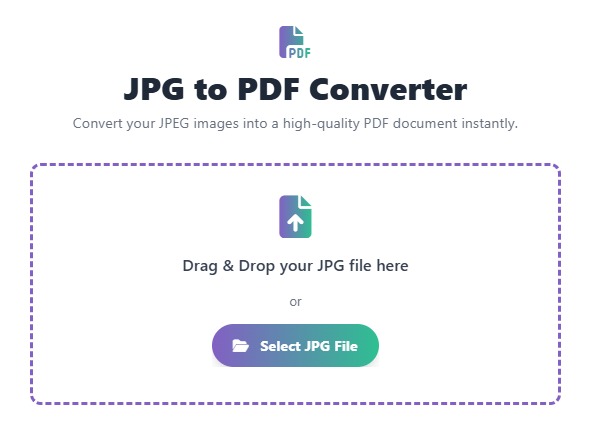
JPG to PDF Converter
Convert your JPEG images into a high-quality PDF document instantly.
Drag & Drop your JPG file here
or
🖼️ JPG to PDF Converter: Convert Images to PDF (Free & Online)
The JPG to PDF Converter is the essential online tool for anyone needing to quickly and securely transform their image files (including JPG, JPEG, and PNG) into a universally compatible PDF document.
Whether you’re creating a professional portfolio, compiling photo evidence for a legal case, or merging multiple images into a single file for easy sharing, our free tool provides a simple, high-quality solution. Use our tool right now to instantly create a perfectly formatted PDF from any of your images.
What is a JPG to PDF Converter?
A JPG to PDF converter is a web-based utility that takes one or more image files and processes them into a single, standardized Portable Document Format (PDF) file. This is crucial because:
- PDFs are universal: They open on virtually any device (PC, Mac, mobile) without quality loss.
- PDFs are professional: They are the standard format for formal documents, applications, and printing.
- PDFs consolidate: They allow you to combine multiple images into one easy-to-manage file.
✅ Official Features of Our Online Converter
After you upload your JPGs, our converter handles the entire process with these professional features:
| Feature | Description |
| High Quality Output | Images are rendered in the PDF without compression or loss of clarity. |
| Multiple Image Support | Easily upload and merge several JPGs into one multi-page PDF document. |
| Image Formatting | Automatically adjusts image orientation (portrait/landscape) for best fit. |
| Secure Deletion | All uploaded files are automatically and permanently deleted from our servers within 60 minutes. |
How Our Free JPG to PDF Tool Works
Our intuitive converter is designed for speed and simplicity. You don’t need to install any software or sign up for an account.
- Input: You click the “Upload Image” button and select one or more JPG, JPEG, or PNG files from your computer or phone.
- Arrangement: (Optional) Drag and drop the thumbnails to arrange the pages in your preferred order.
- Conversion: The tool instantly processes the images, compiling them into a single PDF structure.
- Output: Click the “Download PDF” button to save your new, high-quality document directly to your device.
🚀 Step-by-Step Guide: Convert Your JPG to PDF
You can convert your first image in less than 30 seconds.
- Open the Tool – Navigate directly to our Free JPG to PDF Converter page.
- Upload Images – Click the upload button or simply drag-and-drop your images into the designated area.
- Arrange Pages – Review the image thumbnails and reorder them if you are creating a multi-page PDF.
- Click Convert – Hit the “Convert to PDF” button. The process is instant.
- Review & Download – The download link for your final PDF document will appear immediately.
Why Choose Our Free Online JPG to PDF Tool?
- 100% Free: Unlimited conversions without watermarks or hidden costs.
- Instant & Fast: Lightning-fast processing ensures you get your PDF without waiting.
- Secure & Private: We guarantee file security; your documents are never stored long-term.
- Cloud-Based: Conversion is handled on our servers, saving your device’s battery and processing power.
- Mobile Friendly: Use this JPG to PDF Converter perfectly on your phone, tablet, or desktop.
❓ FAQ – JPG to PDF Converter
Q1: Is the quality of my image maintained in the PDF? A: Yes. Our converter is optimized to preserve the original image quality. The PDF output will be a high-resolution, sharp representation of your original JPG.
Q2: Can I convert multiple JPG files into one single PDF? A: Absolutely. Our tool supports multi-file upload, allowing you to easily merge dozens of images into a single, cohesive, multi-page PDF document.
Q3: Is this tool safe to use? A: Yes, safety is our priority. Your uploaded files are protected with SSL encryption and are automatically deleted from our servers within a short timeframe after conversion. We do not view, share, or store your documents.
Q4: Do I need to register or provide an email address? A: No. Our converter is completely free to use with no required sign-ups, subscriptions, or email confirmations.
 — Instantly compress images, convert files, calculate finance & health metrics, and access 50+ handy tools in one place. Fast, reliable, and built for everyone.